
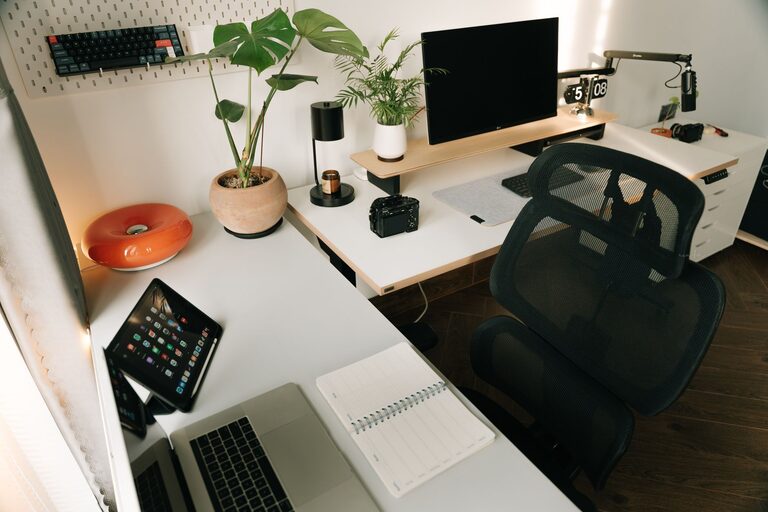
Creating an organized home workspace can make a significant difference in your daily productivity and comfort. Whether you spend a few hours or a full workday in your home office, the way you set up and maintain your environment affects your focus, energy, and overall work experience. This article provides simple, practical tips to help you organize your home workspace efficiently, allowing you to work better and feel more comfortable.
Why Organizing Your Workspace Matters
An organized workspace reduces distractions and enables you to find what you need quickly. It can also prevent stress and burnout by creating a welcoming and functional area dedicated to work. When your home workspace supports your needs, you’re more likely to stay motivated and accomplish tasks effectively.
Choose the Right Location
Find a Quiet Spot
Select a space in your home that is relatively quiet and free from frequent interruptions. This could be a spare room, a corner in your living room, or even a section of your bedroom. Prioritize natural light if possible, as it improves mood and reduces eye strain.
Define the Workspace Boundaries
Setting clear physical boundaries for your workspace can help mentally separate work from leisure time. Use a desk, room divider, rug, or shelving unit to create visual separation that signals “work mode.”
Declutter and Keep Essentials Only
Clear the Desk Surface
A cluttered desk can cause distraction and reduce your ability to concentrate. Keep only essential tools and items on your desk, such as your computer, notebook, and a few writing instruments.
Use Storage Solutions
Invest in organizers like drawers, trays, and file holders to keep paperwork and supplies neatly arranged and accessible. Clear containers or labeled boxes make it easier to find items without adding visual clutter.
Regular Clean-Up Routine
Set aside time weekly or daily to tidy your workspace and remove unnecessary items. This simple habit prevents clutter build-up and keeps your area inviting.
Optimize Ergonomics for Comfort
Choose a Comfortable Chair
Invest in a chair that supports your posture with adjustable height and lumbar support features. This helps reduce back pain and increases comfort during long working hours.
Position Your Computer Properly
Place your monitor at eye level and about an arm’s length away to minimize neck and eye strain. Use a laptop stand if you work on a laptop, and consider an external keyboard and mouse for better hand positioning.
Ensure Proper Lighting
Good lighting reduces eye fatigue and helps maintain focus. Aim for a combination of natural and artificial lighting. Use adjustable desk lamps to provide focused lighting without creating glare.
Personalize to Boost Motivation
Add Inspiring Elements
Include personal touches like photos, plants, or artwork that make you feel happy and motivated. Greenery, in particular, can boost mood and improve indoor air quality.
Choose Calming Colors
If possible, decorate your workspace with soft and calming colors such as blues, greens, or neutrals. These colors support concentration and create a soothing atmosphere.
Establish Functional Zones
Designate Areas for Different Tasks
If your workspace is large enough, organize it into zones for various activities: computer work, paperwork, brainstorming, or meetings. This keeps supplies related to each task in their appropriate areas and helps switch focus smoothly.
Create a Charging Station
Set up a dedicated spot for charging electronics like phones, tablets, and headphones to avoid cord tangles and misplaced devices.
Keep Cables Organized
Use Cable Management Tools
Cable clutter can make your workspace look messy and cause frustration. Use clips, cable sleeves, or under-desk trays to route cables neatly.
Label Your Cables
Labeling cables helps you quickly identify devices and makes unplugging or troubleshooting easier.
Maintain Work-Life Balance
Keep Work Items Out of Sight After Hours
To psychologically separate work time from personal time, pack away work materials and turn off work-related devices at the end of the day. This reduces the temptation to continue working and helps your mind relax.
Use a Timer or Schedule Breaks
Incorporate regular breaks to stretch, move around, and rest your eyes. Setting alarms or reminders can assist in maintaining a healthy rhythm.
Final Thoughts
Organizing your home workspace doesn’t have to be complicated or expensive. By choosing the right location, decluttering, optimizing comfort, and adding personal touches, you can create an environment that improves both productivity and well-being. Remember, small changes can make a big difference, so start with one or two tips and build your ideal workspace over time. Your future self will thank you!